Configuration
Config file: ~/.picoclaw/config.json
Config schema version 2 is the current format. New configs should include "version": 2 at the top level. Existing V0/V1 configs are automatically migrated on first load. See the Migration Guide for details.
For a smoother setup experience, we recommend using Web UI as the primary way to configure and manage models.
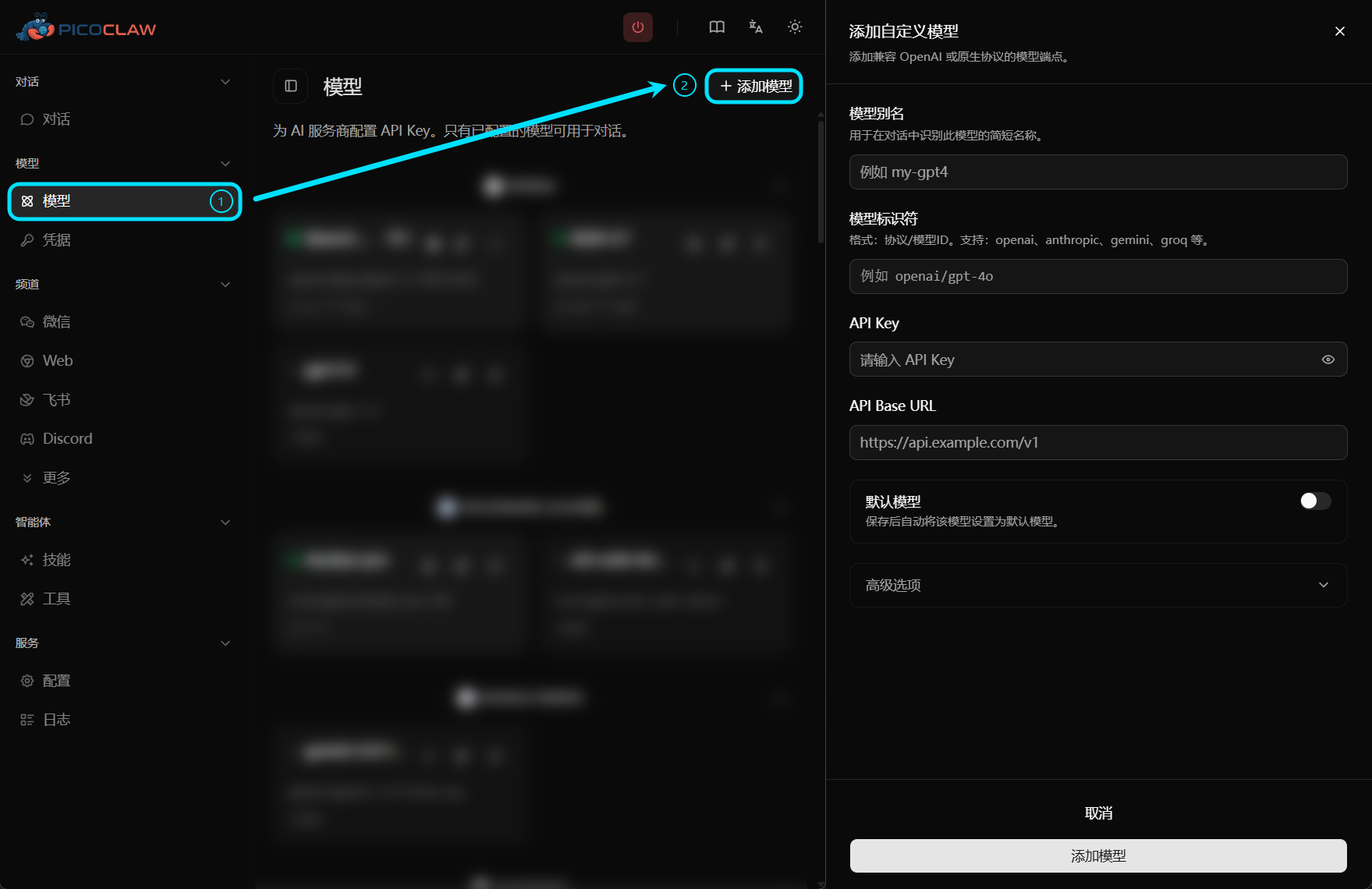
Sections
| Section | Purpose |
|---|---|
version | Config schema version (current: 2) |
agents.defaults | Default agent settings (model, workspace, limits) |
bindings | Route messages to specific agents by channel/context |
model_list | LLM provider definitions |
channels | Chat app integrations |
tools | Web search, exec, cron, skills, MCP |
heartbeat | Periodic task settings |
gateway | HTTP gateway host/port and log level |
devices | USB device monitoring |
Workspace Layout
PicoClaw stores data in your configured workspace (default: ~/.picoclaw/workspace):
~/.picoclaw/workspace/
├── sessions/          # Conversation sessions and history
├── memory/            # Long-term memory (MEMORY.md)
├── state/             # Persistent state (last channel, etc.)
├── cron/              # Scheduled jobs database
├── skills/            # Custom skills
├── AGENTS.md          # Agent behavior guide
├── HEARTBEAT.md       # Periodic task prompts (checked every 30 min)
├── IDENTITY.md        # Agent identity
├── SOUL.md            # Agent soul
├── TOOLS.md           # Tool descriptions
└── USER.md            # User preferences
Environment Variables
Most config values can be set via environment variables using the pattern PICOCLAW_<SECTION>_<KEY> in UPPER_SNAKE_CASE:
export PICOCLAW_AGENTS_DEFAULTS_MODEL_NAME=my-model
export PICOCLAW_HEARTBEAT_ENABLED=false
export PICOCLAW_HEARTBEAT_INTERVAL=60
export PICOCLAW_AGENTS_DEFAULTS_RESTRICT_TO_WORKSPACE=false
Special Environment Variables
| Variable | Description |
|---|---|
PICOCLAW_HOME | Override PicoClaw home directory (default: ~/.picoclaw). Changes the default location of the workspace and other data directories. |
PICOCLAW_CONFIG | Override the path to the configuration file. Directly tells PicoClaw which config.json to load, ignoring all other locations. |
PICOCLAW_LOG_LEVEL | Override gateway log level (see below) |
Examples:
# Run picoclaw using a specific config file
PICOCLAW_CONFIG=/etc/picoclaw/production.json picoclaw gateway

# Run picoclaw with all its data stored in /opt/picoclaw
PICOCLAW_HOME=/opt/picoclaw picoclaw agent

# Use both for a fully customized setup
PICOCLAW_HOME=/srv/picoclaw PICOCLAW_CONFIG=/srv/picoclaw/main.json picoclaw gateway
Gateway Log Level
gateway.log_level controls Gateway log verbosity and is configurable in config.json:
{
  "gateway": {
    "log_level": "warn"
  }
}
When omitted, the default is warn. Supported values: debug, info, warn, error, fatal.
You can also override this with the environment variable PICOCLAW_LOG_LEVEL.
Security Configuration
PicoClaw supports separating sensitive data (API keys, tokens, secrets) from your main configuration by storing them in a .security.yml file. See .security.yml Reference for field mapping and overlay rules, Security Sandbox for workspace restrictions, and Credential Encryption for encrypted secret formats.
Key benefits:
- Security: Sensitive data is never in your main config file
- Easy sharing: Share
config.jsonwithout exposing API keys - Version control: Add
.security.ymlto.gitignore - Flexible deployment: Different environments can use different security files
Agent Bindings
Use bindings in config.json to route incoming messages to different agents by channel, account, or context. For example, route all Telegram DMs from a specific user to a support agent, or route an entire Discord server to a sales agent.
See the Full Config Reference for the complete bindings specification.
Quick Links
- Model Configuration (model_list) — add LLM providers
- Security Sandbox — workspace restrictions and
.security.yml .security.ymlReference — field-by-field mapping and precedence- Token Authentication — gateway API and web login access tokens
- Heartbeat — periodic tasks
- Tools Configuration — web search, exec, cron
- Credential Encryption — encrypt API keys with
enc:// - Full Config Reference — complete annotated example