Alibaba Bailian (Qwen) Configuration Guide
Overview
Alibaba Bailian is Alibaba Cloud's large model service platform, relying on Alibaba Cloud's powerful infrastructure to provide stable, low-latency inference services.
The Tongyi Qianwen (Qwen) series models continue to lead in code, multilingual, and long-context directions. Qwen3.5-Plus has ranked among the top in multiple benchmarks globally.
Bailian Coding Plan is a subscription package that bundles multiple top models, making it one of the most cost-effective AI programming packages for domestic developers.
Official Documentation: https://help.aliyun.com/zh/model-studio/coding-plan
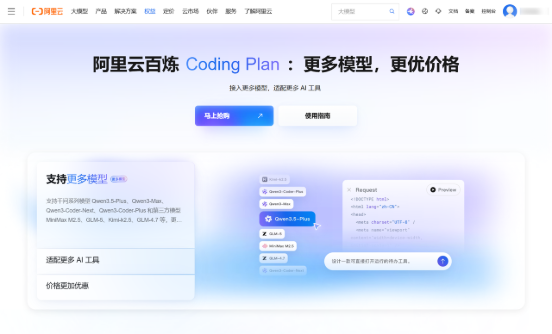
Getting API Key
Alibaba Bailian offers two usage methods: Coding Plan subscription package (recommended) and pay-as-you-go.
They use different endpoints and API Keys, please distinguish between them.
Coding Plan Exclusive Key
-
After subscribing to the plan, obtain the Coding Plan Exclusive API Key (format: sk-sp-xxxxx) on the page.
⚠️ Coding Plan Exclusive Key is different from ordinary Bailian API Key. Please obtain it separately on the Coding Plan page.
Pay-as-you-go Key
-
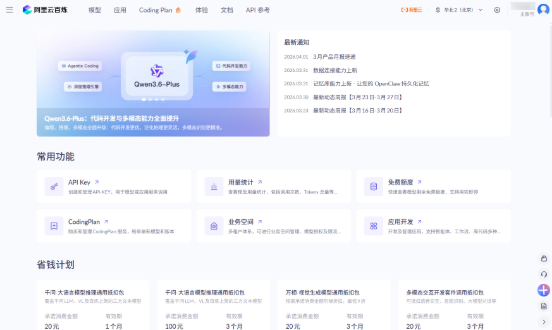
Visit Alibaba Bailian Console
-
Create an ordinary API Key on the API Key management page.
Configuring PicoClaw
Coding Plan (Recommended)
Coding Plan supports multiple mainstream models such as qwen3.5-plus, kimi-k2.5, glm-5, MiniMax-M2.5.
Supported Models
| Model | Description |
|---|---|
| qwen3.5-plus | Recommended, supports image understanding |
| kimi-k2.5 | Recommended, supports image understanding |
| glm-5 | Recommended |
| MiniMax-M2.5 | Recommended |
| qwen3-max-2026-01-23 | More options |
| qwen3-coder-next | More options |
| qwen3-coder-plus | More options |
| glm-4.7 | More options |
Option 1: Using WebUI (Recommended)
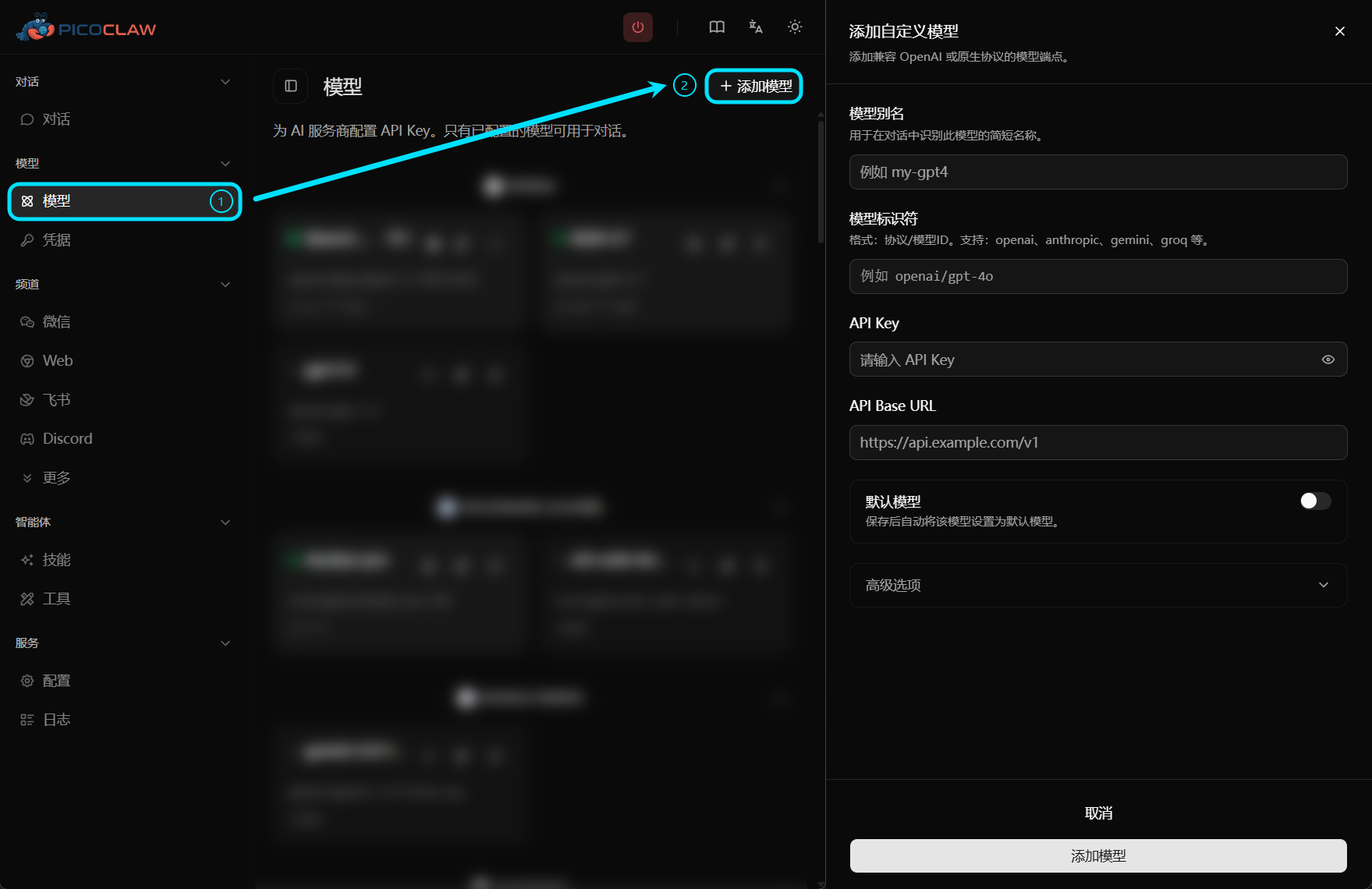
Open PicoClaw WebUI, go to the Models page in the left navigation, click "Add Model" in the top right corner:
| Field | Value |
|---|---|
| Model Alias | Custom name, e.g., qwen-coding |
| Model Identifier | openai/qwen3.5-plus (or other supported models) |
| API Key | Coding Plan Exclusive API Key (sk-sp-xxxxx) |
| API Base URL | https://coding.dashscope.aliyuncs.com/v1 |
Option 2: Edit Configuration File
config.json:
{
  "version": 2,
  "model_list": [
    {
      "model_name": "qwen-coding",
      "model": "openai/qwen3.5-plus",
      "api_base": "https://coding.dashscope.aliyuncs.com/v1"
    }
  ],
  "agents": {
    "defaults": {
      "model_name": "qwen-coding"
    }
  }
}
~/.picoclaw/.security.yml:
model_list:
  qwen-coding:0:
    api_keys:
      - "sk-sp-your-coding-plan-key"
Pay-as-you-go
Option 1: Using WebUI
| Field | Value |
|---|---|
| Model Alias | Custom name, e.g., qwen |
| Model Identifier | qwen/qwen3.5-plus (or other models) |
| API Key | Ordinary Bailian API Key |
| API Base URL | Leave empty (automatically uses default endpoint) |
Option 2: Edit Configuration File
config.json:
{
  "version": 2,
  "model_list": [
    {
      "model_name": "qwen",
      "model": "qwen/qwen3.5-plus"
    }
  ],
  "agents": {
    "defaults": {
      "model_name": "qwen"
    }
  }
}
~/.picoclaw/.security.yml:
model_list:
  qwen:0:
    api_keys:
      - "your-ordinary-bailian-api-key"
Limits & Quotas
Billing
Coding Plan uses a subscription model, while pay-as-you-go charges based on actual usage.
Rate Limits
Different plans have different rate limits. Please refer to the official documentation for details.