OpenAI API Configuration Guide
Overview
OpenAI API is a general-purpose AI interface provided by OpenAI, supporting text generation, conversations, code generation, and more. It offers a highly unified interface specification and is widely supported.
OpenAI provides multiple model series for different performance and cost scenarios:
| Model | Features | Use Cases |
|---|---|---|
| gpt-4o-mini | Fast, low cost | High concurrency, daily conversations |
| gpt-4o | High-quality multimodal | Complex tasks, image understanding |
| gpt-4.1 | Stronger reasoning & code capabilities | Code generation, logical reasoning |
Getting API Key
Step 1: Visit OpenAI Platform
Go to OpenAI Platform and log in to your account.
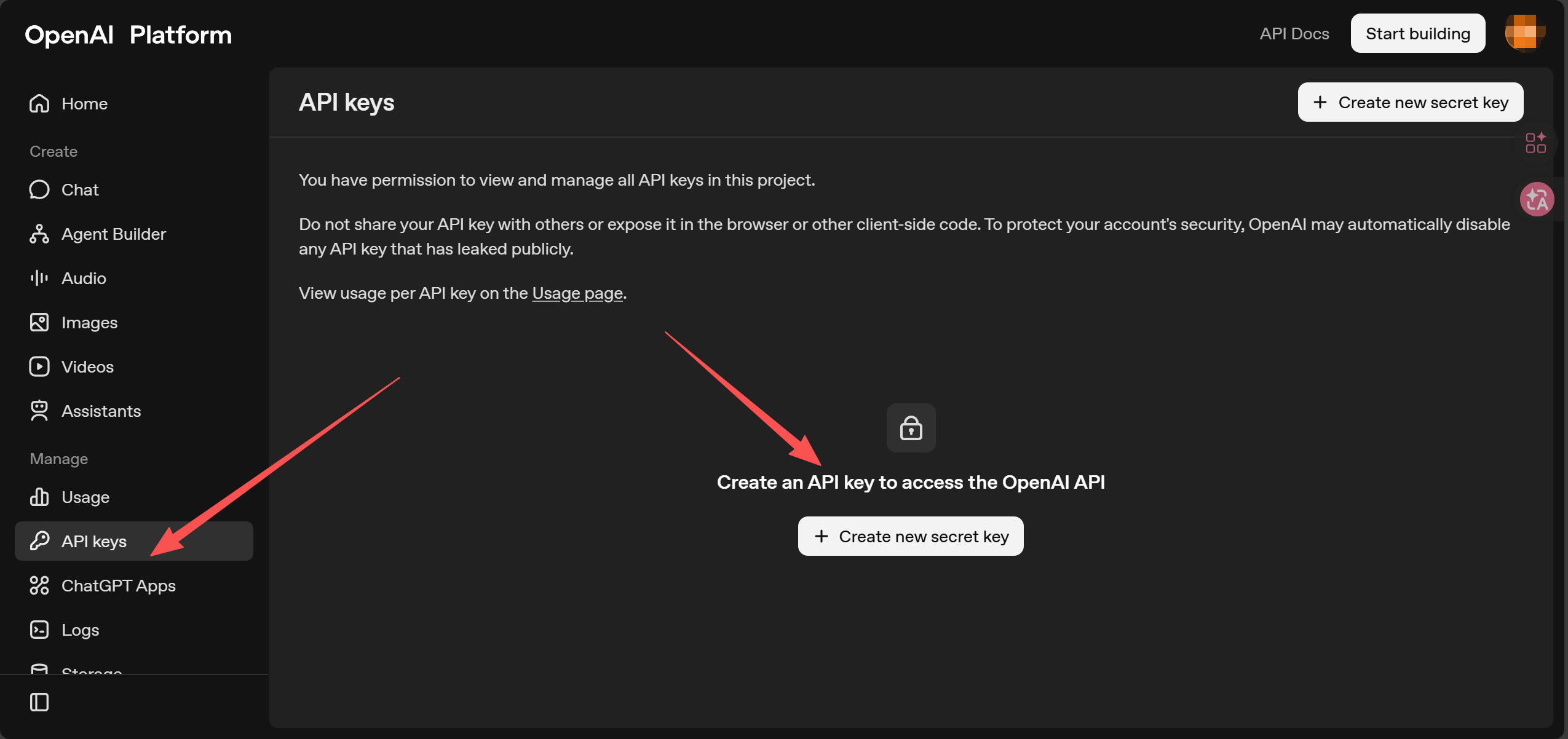
Step 2: Generate API Key
- Navigate to Dashboard → API Keys
- Click "Create new secret key"
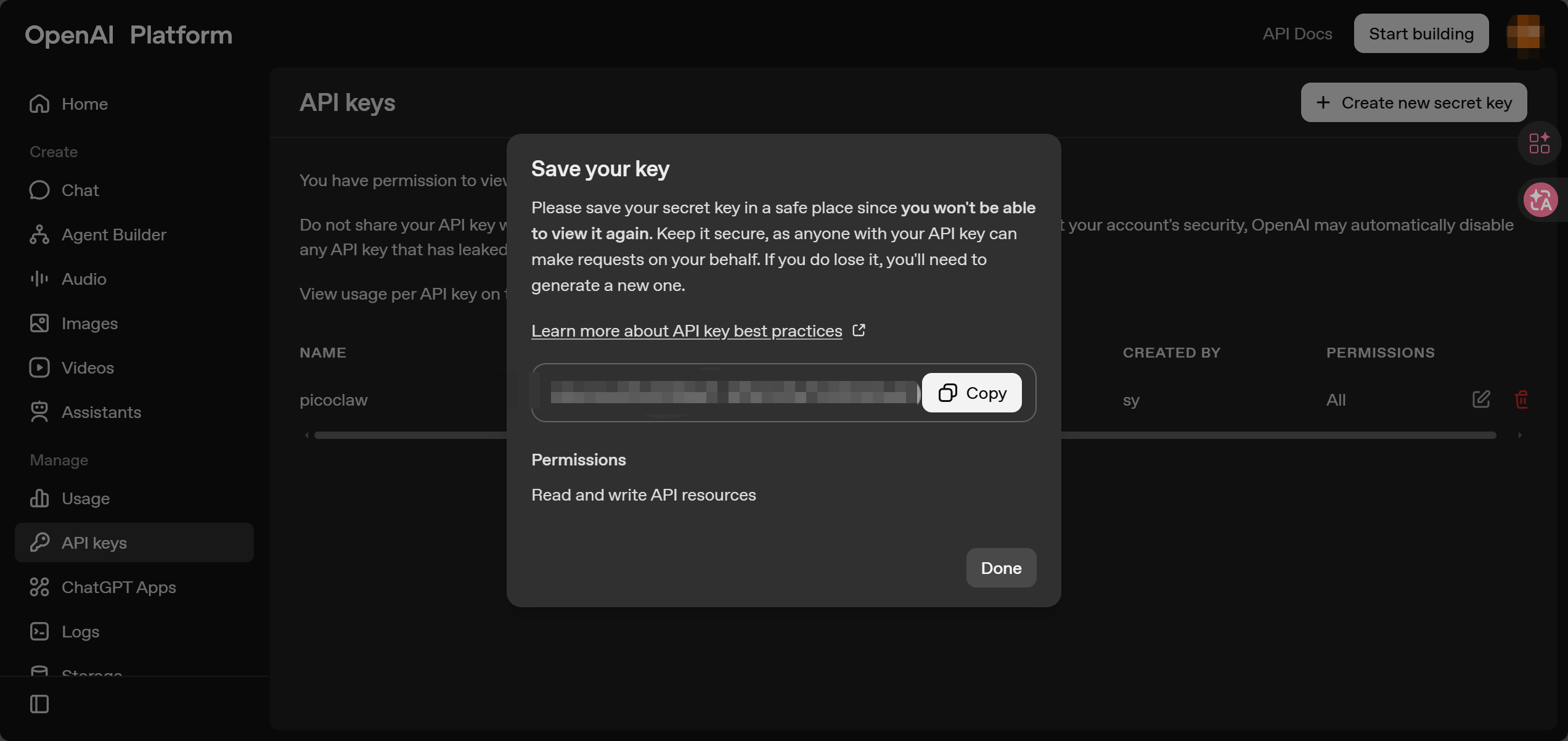
- Copy and save your API Key
⚠️ Note: The API Key is only shown once. Keep it secure and do not share it with others.
Configuring PicoClaw
Option 1: Using WebUI (Recommended)
PicoClaw provides a WebUI interface where you can easily configure models without manually editing configuration files.
Edit preset settings, or click the "Add Model" button in the top right corner:
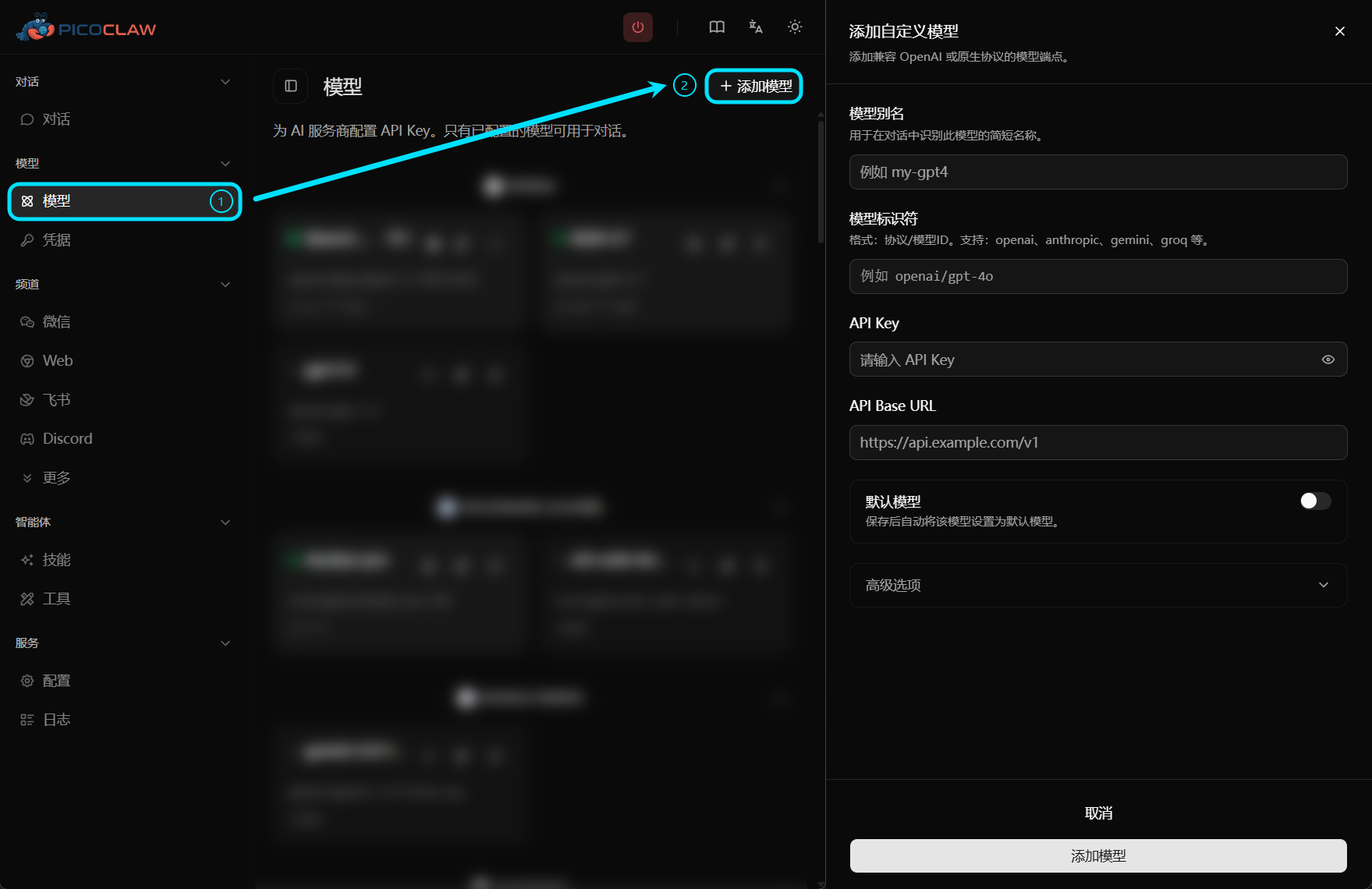
| Field | Value |
|---|---|
| Model Alias | Custom name, e.g., gpt-4o |
| Model Identifier | openai/gpt-4o-mini (or other supported models) |
| API Key | OpenAI API Key (sk-xxxxx) |
| API Base URL | Leave empty (default: https://api.openai.com/v1) |
Option 2: Edit Configuration File
Add OpenAI models in config.json and set auth_method to api_key:
{
  "model_list": [
    {
      "model_name": "gpt-4o-mini",
      "model": "openai/gpt-4o-mini",
      "auth_method": "api_key",
      "api_key": "YOUR_OPENAI_API_KEY_HERE"
    },
    {
      "model_name": "gpt-4o",
      "model": "openai/gpt-4o",
      "auth_method": "api_key",
      "api_key": "YOUR_OPENAI_API_KEY_HERE"
    }
  ],
  "agents": {
    "defaults": {
      "model": "gpt-4o-mini"
    }
  }
}
Limits & Quotas
Billing
OpenAI uses a Pay-as-you-go model, charging based on actual token usage.
Rate Limits
Different account tiers and models have different rate limits:
- RPM (Requests Per Minute): Number of requests per minute
- TPM (Tokens Per Minute): Number of tokens per minute
When exceeding limits, you will receive a 429 Too Many Requests error.
Common Issues
max_tokens Error
Invalid max_tokens value
Cause: Exceeds model limit
Solution: Reduce the max_tokens parameter value (e.g., 1024 or 2048)
429 Rate Limit Error
Solutions:
- Reduce request frequency
- Upgrade your OpenAI account tier
- Enable request rate limiting in PicoClaw
Cannot Connect to API
Check the following:
- Is
base_urlcorrect? (Default:https://api.openai.com/v1) - Do you need a proxy? (For users in China mainland)
- Is DNS resolution working properly?
- Network connectivity