VolcEngine (Doubao) Configuration Guide
Overview
VolcEngine is ByteDance's cloud service platform. The Doubao large model series excels in response speed and concurrency stability thanks to ByteDance's deep expertise in recommendation systems and large-scale engineering.
VolcEngine Ark Platform's Coding Plan aggregates top models from Doubao, MiniMax, Kimi, GLM, DeepSeek, etc., providing developers with great convenience through unified interfaces and subscription pricing. It is one of the most comprehensive model aggregation packages in China.
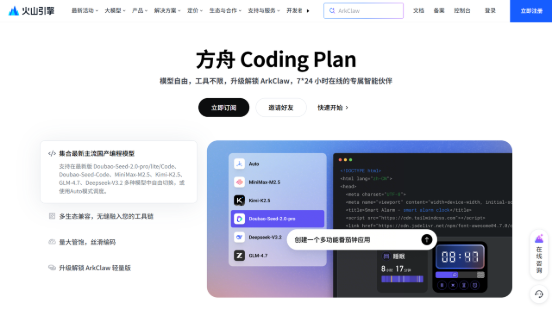
Official Documentation: https://www.volcengine.com/docs/82379/1928262?lang=zh
Getting API Key
Step 1: Visit Platform
Go to VolcEngine Ark Console, register and log in.
Step 2: Subscribe to Plan and Get Key
- Subscribe to Coding Plan (or pay-as-you-go)
- Create and copy API Key on the console API Key management page.
Configuring PicoClaw
Coding Plan (Recommended)
Plan Usage
| Plan | Per 5 Hours | Weekly | Per Subscription Month |
|---|---|---|---|
| Lite | ~1,200 calls | ~9,000 calls | ~18,000 calls |
| Pro | ~6,000 calls | ~45,000 calls | ~90,000 calls |
Supported Models
| Model | Description |
|---|---|
| Doubao-Seed-2.0-pro | Doubao flagship |
| Doubao-Seed-2.0-lite | Doubao lightweight |
| Doubao-Seed-2.0-Code | Doubao code specialized |
| Doubao-Seed-Code | Doubao code |
| MiniMax-M2.5 | MiniMax |
| Kimi-K2.5 | Kimi |
| GLM-4.7 | Zhipu GLM |
| DeepSeek-V3.2 | DeepSeek |
| ark-code-latest | Auto-select optimal model |
When using ark-code-latest, you can switch target models on the VolcEngine management page or enable Auto mode for system auto-selection. Changes take effect in 3-5 minutes.
Option 1: Using WebUI (Recommended)
Open PicoClaw WebUI, go to the Models page in the left navigation, click "Add Model" in the top right corner:
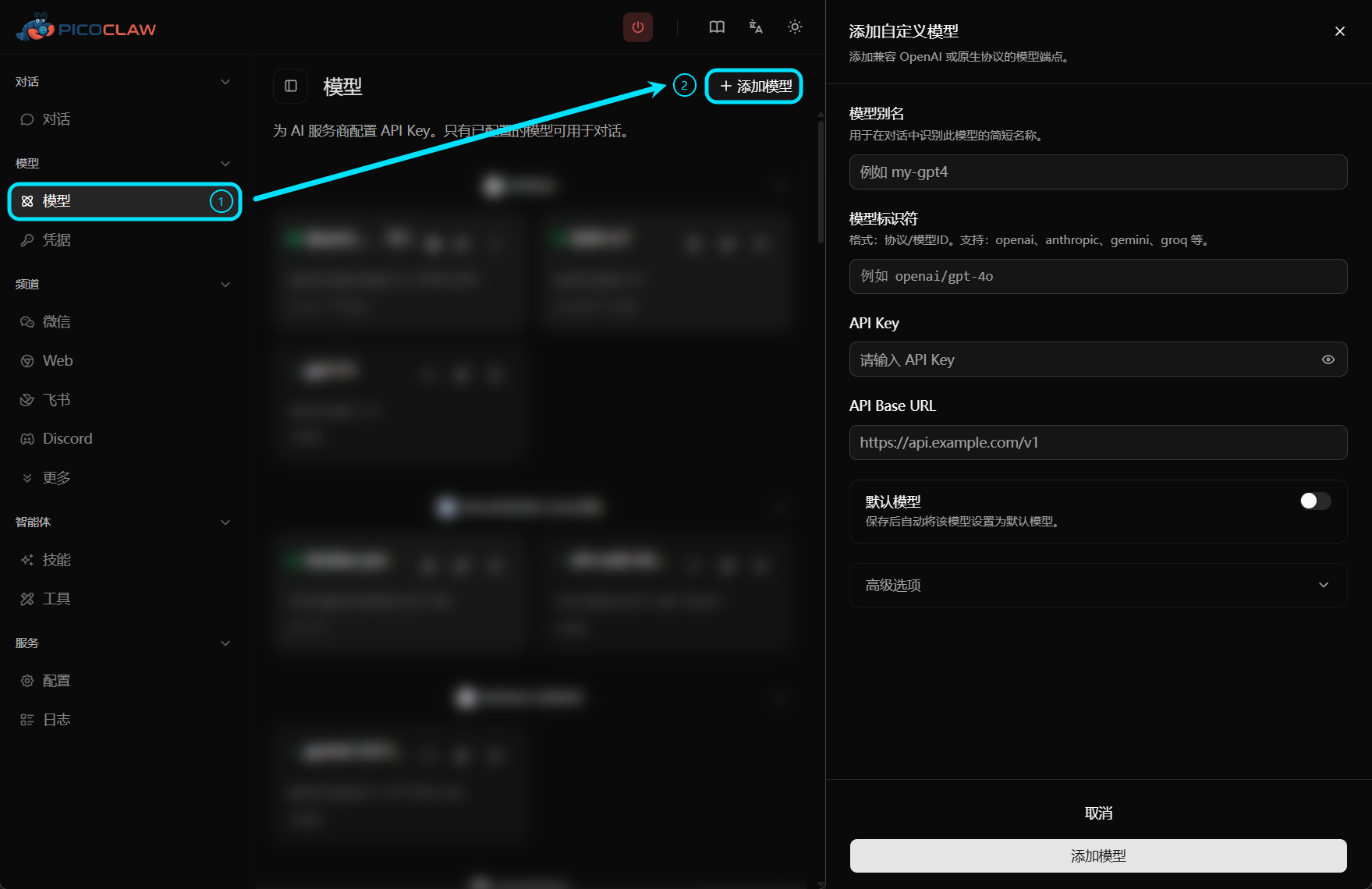
| Field | Value |
|---|---|
| Model Alias | Custom name, e.g., volcengine |
| Model Identifier | volcengine/Doubao-Seed-2.0-pro (or other supported models) |
| API Key | VolcEngine API Key |
| API Base URL | https://ark.cn-beijing.volces.com/api/coding/v3 |
Option 2: Edit Configuration File
config.json:
{
  "version": 2,
  "model_list": [
    {
      "model_name": "volcengine",
      "model": "volcengine/Doubao-Seed-2.0-pro",
      "api_base": "https://ark.cn-beijing.volces.com/api/coding/v3"
    }
  ],
  "agents": {
    "defaults": {
      "model_name": "volcengine"
    }
  }
}
If using ark-code-latest auto-routing, change model to volcengine/ark-code-latest
~/.picoclaw/.security.yml:
model_list:
  volcengine:0:
    api_keys:
      - "your-volcengine-api-key"
Pay-as-you-go
Option 1: Using WebUI
| Field | Value |
|---|---|
| Model Alias | Custom name, e.g., volcengine |
| Model Identifier | volcengine/Doubao-Seed-2.0-pro (or other models) |
| API Key | VolcEngine API Key |
| API Base URL | Leave empty (automatically uses default endpoint) |
Option 2: Edit Configuration File
config.json:
{
  "version": 2,
  "model_list": [
    {
      "model_name": "volcengine",
      "model": "volcengine/Doubao-Seed-2.0-pro"
    }
  ],
  "agents": {
    "defaults": {
      "model_name": "volcengine"
    }
  }
}
~/.picoclaw/.security.yml:
model_list:
  volcengine:0:
    api_keys:
      - "your-volcengine-api-key"
volcengine protocol prefix has built-in default endpoint https://ark.cn-beijing.volces.com/api/v3, no need to fill api_base
Notes
- Coding Plan endpoint is https://ark.cn-beijing.volces.com/api/coding/v3, pay-as-you-go endpoint is https://ark.cn-beijing.volces.com/api/v3, they are different, do not fill wrong
- Pay-as-you-go directly deducts from account balance, recommend using Coding Plan first
- For production, store API Key in .security.yml, avoid plaintext in config.json