Zhipu AI (GLM) Configuration Guide
Overview
Zhipu AI is a major force in China's large model field, relying on Tsinghua University's deep academic background. The GLM series models continue to break through in Chinese understanding, code generation, and complex reasoning.
GLM-4.7 has become a reliable choice for daily programming tasks with balanced performance and high cost-effectiveness, while the GLM-5 series benchmarks against international top models in complex tasks.
Zhipu Coding Plan provides developers with stable subscription quotas and is an important part of China's AI programming ecosystem.
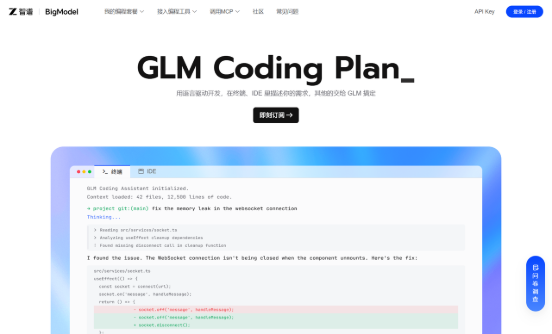
Official Documentation: https://docs.bigmodel.cn/cn/coding-plan/tool/openclaw
Getting API Key
Step 1: Visit Platform
Go to Zhipu AI Open Platform, register and log in.
Step 2: Create API Key
-
Subscribe to Coding Plan (or pay-as-you-go)
-
Create and copy API Key on the console API Key management page.
⚠️ Note: API Key is shown only once, save it immediately.
Configuring PicoClaw
Coding Plan (Recommended)
Supported Models
| Model | Description |
|---|---|
| GLM-4.7 | Recommended for most tasks, most economical quota usage |
| GLM-5.1 | High-end model, comparable to Claude Opus. Consumes 3x quota during peak hours, 2x during off-peak |
| GLM-5 | High-end model, same consumption coefficient as GLM-5.1 |
| GLM-5-Turbo | High-end model, same consumption coefficient as GLM-5.1 |
| GLM-4.6 | More options |
| GLM-4.5 | More options |
| GLM-4.5-Air | More options |
| GLM-4.5V | More options |
| GLM-4.6V | More options |
Recommend using GLM-4.7 first, switch to GLM-5.1 only for particularly complex tasks to avoid consuming quota too quickly.
Do not select Flash, FlashX, etc. models, otherwise account balance will be deducted.
Option 1: Using WebUI (Recommended)
Open PicoClaw WebUI, go to the Models page in the left navigation, click "Add Model" in the top right corner:
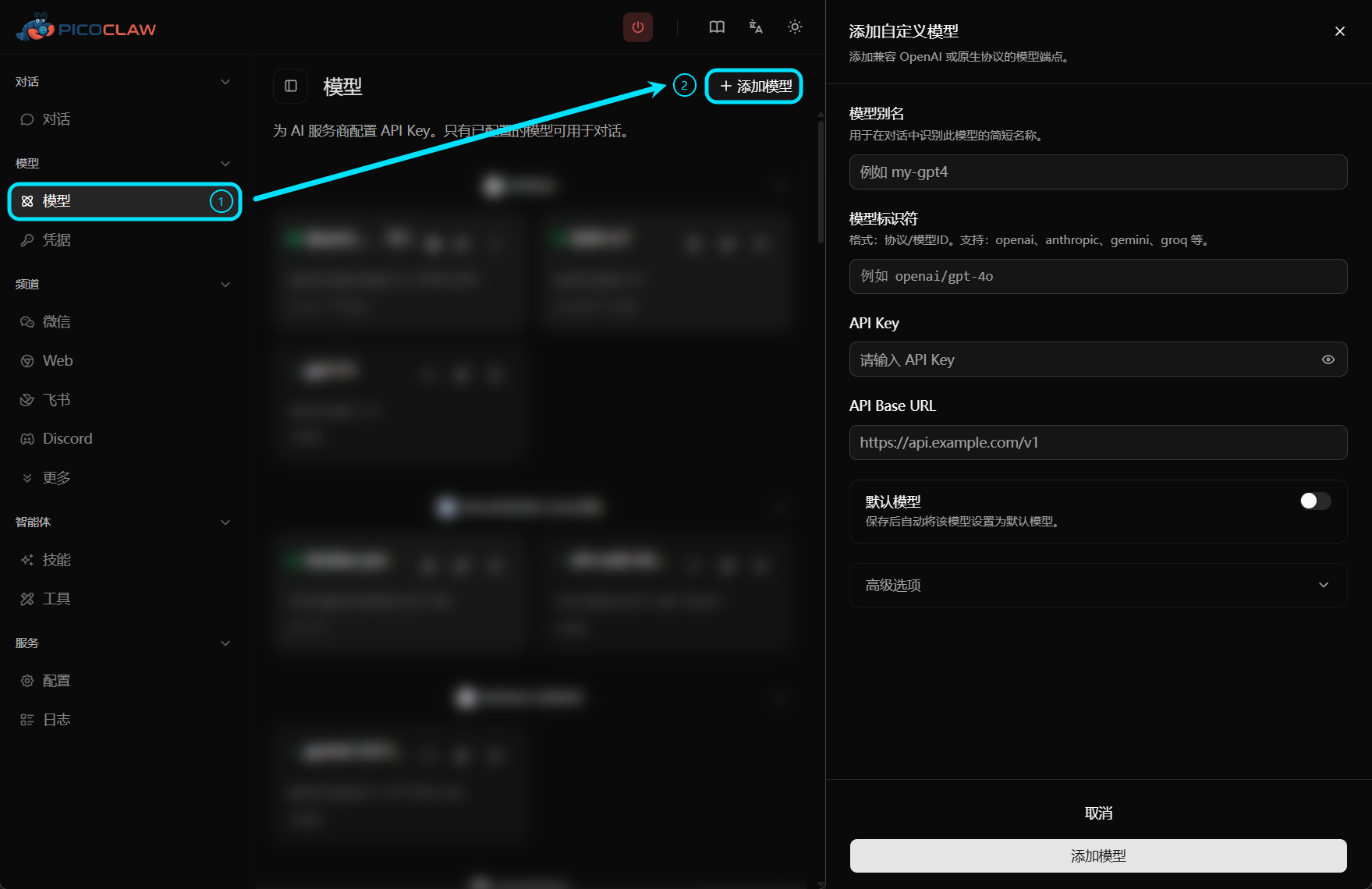
| Field | Value |
|---|---|
| Model Alias | Custom name, e.g., glm |
| Model Identifier | zhipu/GLM-4.7 (or other supported models) |
| API Key | Your Zhipu API Key |
| API Base URL | https://open.bigmodel.cn/api/coding/paas/v4 |
Option 2: Edit Configuration File
config.json:
{
  "version": 2,
  "model_list": [
    {
      "model_name": "glm",
      "model": "zhipu/GLM-4.7",
      "api_base": "https://open.bigmodel.cn/api/coding/paas/v4"
    }
  ],
  "agents": {
    "defaults": {
      "model_name": "glm"
    }
  }
}
~/.picoclaw/.security.yml:
model_list:
  glm:0:
    api_keys:
      - "your-zhipu-api-key"
Pay-as-you-go
Option 1: Using WebUI
| Field | Value |
|---|---|
| Model Alias | Custom name, e.g., glm |
| Model Identifier | zhipu/GLM-4.7 |
| API Key | Your Zhipu API Key |
| API Base URL | Leave empty (automatically uses default endpoint) |
Option 2: Edit Configuration File
config.json:
{
  "version": 2,
  "model_list": [
    {
      "model_name": "glm",
      "model": "zhipu/GLM-4.7"
    }
  ],
  "agents": {
    "defaults": {
      "model_name": "glm"
    }
  }
}
~/.picoclaw/.security.yml:
model_list:
  glm:0:
    api_keys:
      - "your-zhipu-api-key"
zhipu protocol prefix has built-in default endpoint https://open.bigmodel.cn/api/paas/v4, no need to fill api_base
Notes
- Coding Plan endpoint is https://open.bigmodel.cn/api/coding/paas/v4, pay-as-you-go endpoint is https://open.bigmodel.cn/api/paas/v4, they are different, do not fill wrong
- Pay-as-you-go directly deducts from account balance, recommend using Coding Plan first
- GLM-5.1, GLM-5, GLM-5-Turbo consume quota quickly, recommend GLM-4.7 for daily tasks
- For production, store API Key in .security.yml, avoid plaintext in config.json