阿里云百炼(通义千问 / Qwen)配置指南
概述
阿里云百炼是阿里巴巴旗下的大模型服务平台,依托阿里云强大的基础设施,提供稳定、低延迟的推理服务
通义千问(Qwen)系列模型在代码、多语言、长上下文等方向持续领跑,Qwen3.5-Plus 更是在多项基准测试中跻身全球前列
百炼 Coding Plan 以订阅制打包多家顶级模型,是国内开发者最具性价比的 AI 编程套餐之一
官方文档:https://help.aliyun.com/zh/model-studio/coding-plan
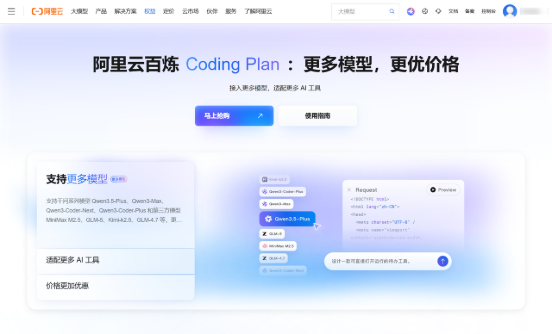
获取 API Key
阿里云百炼提供两种使用方式,Coding Plan 订阅套餐(推荐)和按量付费
两者使用不同的端点和 API Key,请注意区分
Coding Plan 专属 Key
-
开通套餐后,在页面内获取 Coding Plan 专属 API Key(格式为 sk-sp-xxxxx)
⚠️ Coding Plan 专属 Key 与普通百炼 API Key 不同,请在 Coding Plan 页面单独获取。
按量付费 Key
-
访问 阿里云百炼控制台
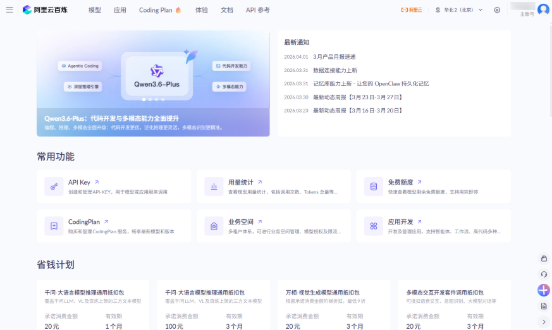
-
在 API Key 管理页面创建普通 API Key
配置 PicoClaw
Coding Plan(推荐)
Coding Plan 支持 qwen3.5-plus、kimi-k2.5、glm-5、MiniMax-M2.5 等多个主流模型
支持的模型
| 模型 | 说明 |
|---|---|
| qwen3.5-plus | 推荐,支持图片理解 |
| kimi-k2.5 | 推荐,支持图片理解 |
| glm-5 | 推荐 |
| MiniMax-M2.5 | 推荐 |
| qwen3-max-2026-01-23 | 更多选择 |
| qwen3-coder-next | 更多选择 |
| qwen3-coder-plus | 更多选择 |
| glm-4.7 | 更多选择 |
方式一:使用 WebUI(推荐)
打开 PicoClaw WebUI,进入左侧导航 模型 页面,点击右上角「添加模型」:
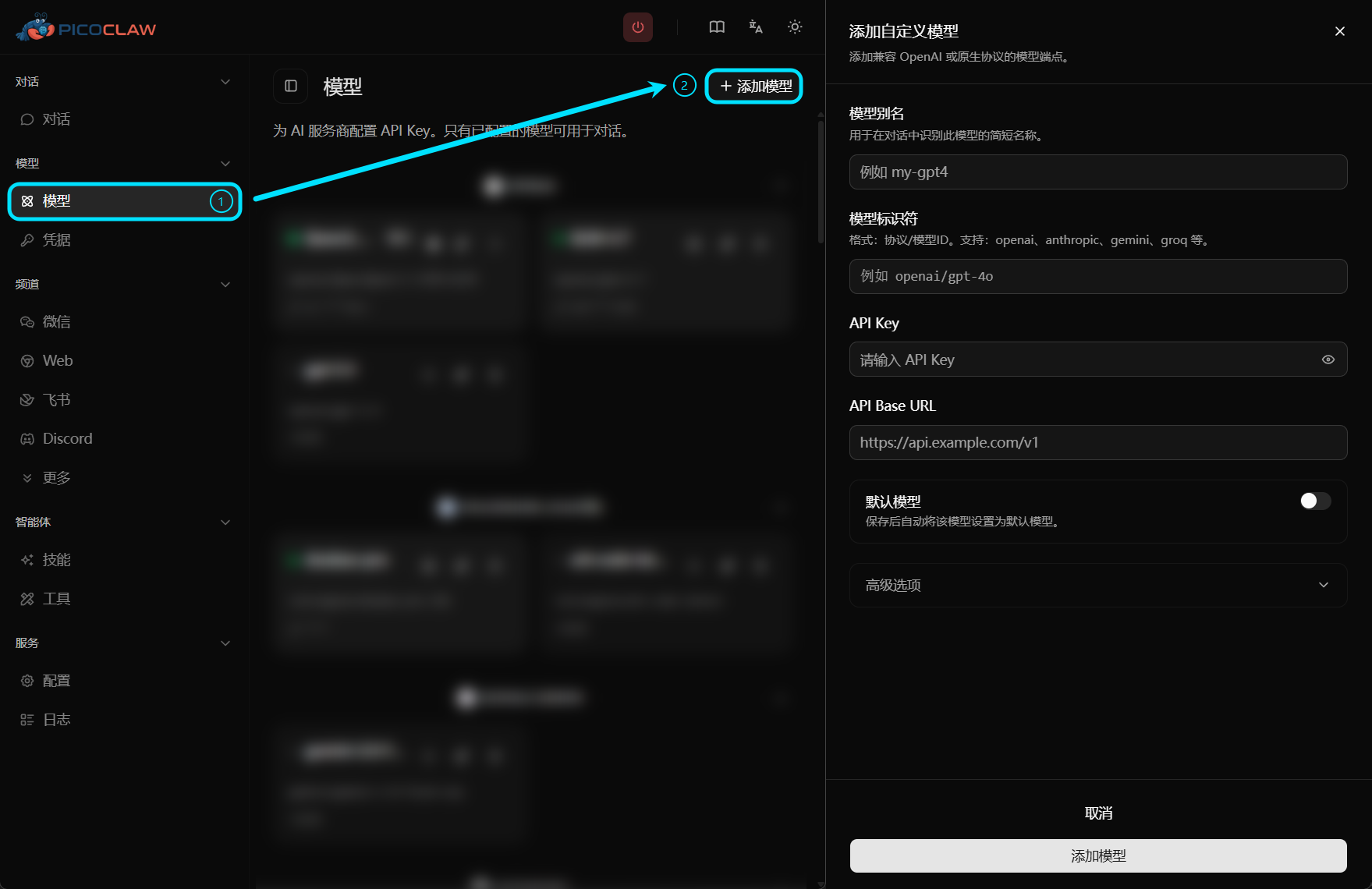
| 字段 | 填写内容 |
|---|---|
| 模型别名 | 自定义名称,如 qwen-coding |
| 模型标识符 | openai/qwen3.5-plus(或其他支持的模型) |
| API Key | Coding Plan 专属 API Key(sk-sp-xxxxx) |
| API Base URL | https://coding.dashscope.aliyuncs.com/v1 |
方式二:编辑配置文件
config.json:
{
  "version": 2,
  "model_list": [
    {
      "model_name": "qwen-coding",
      "model": "openai/qwen3.5-plus",
      "api_base": "https://coding.dashscope.aliyuncs.com/v1"
    }
  ],
  "agents": {
    "defaults": {
      "model_name": "qwen-coding"
    }
  }
}
~/.picoclaw/.security.yml:
model_list:
  qwen-coding:0:
    api_keys:
      - "sk-sp-your-coding-plan-key"
按量付费
方式一:使用 WebUI
| 字段 | 填写内容 |
|---|---|
| 模型别名 | 自定义名称,如 qwen |
| 模型标识符 | qwen/qwen3.5-plus(或其他模型) |
| API Key | 普通百炼 API Key |
| API Base URL | 留空(自动使用默认端点) |
方式二:编辑配置文件
config.json:
{
  "version": 2,
  "model_list": [
    {
      "model_name": "qwen",
      "model": "qwen/qwen3.5-plus"
    }
  ],
  "agents": {
    "defaults": {
      "model_name": "qwen"
    }
  }
}
~/.picoclaw/.security.yml:
model_list:
  qwen:0:
    api_keys:
      - "sk-your-dashscope-key"
qwen 协议前缀已内置默认端点 https://dashscope.aliyuncs.com/compatible-mode/v1,无需填写 api_base
注意事项
- Coding Plan 专属 Key(sk-sp-xxxxx)和普通 API Key 不可混用,请确认使用的是对应的 Key
- Coding Plan 端点为 https://coding.dashscope.aliyuncs.com/v1,按量付费端点为 https://dashscope.aliyuncs.com/compatible-mode/v1,两者不同,请勿填错
- 生产环境请将 API Key 存放在 .security.yml,避免明文写入 config.json