Deploy on LicheeRV Nano
This document walks you through deploying PicoClaw on the Sipeed LicheeRV Nano development board.
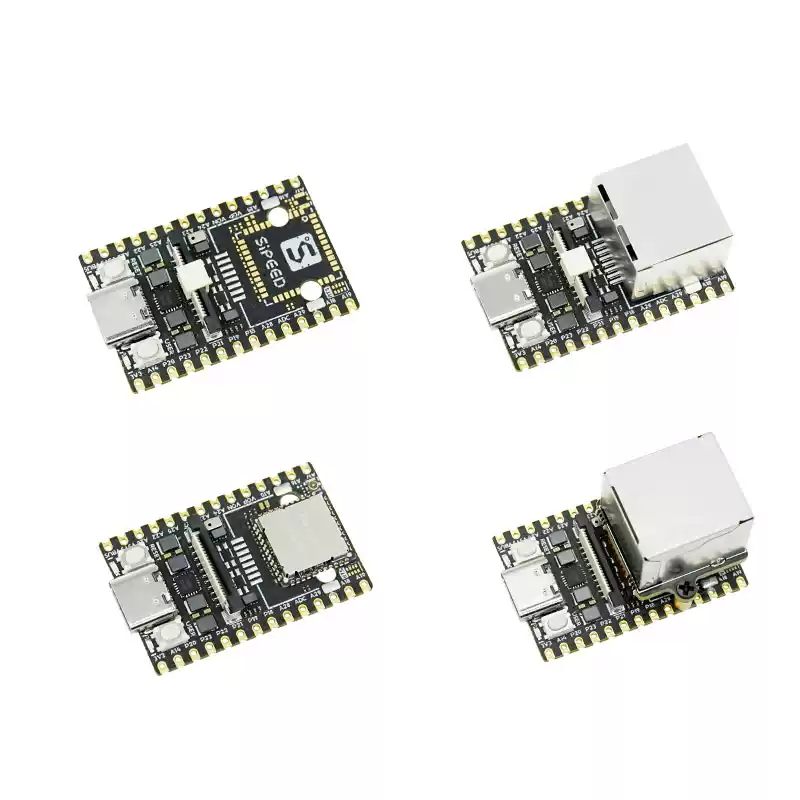
LicheeRV Nano is an ultra-compact development board (only 22.86 × 35.56 mm) powered by the Sophgo SG2002 processor (featuring a 1 GHz selectable RISC-V/ARM main core and a 700 MHz RISC-V secondary core). It includes 256 MB DDR3 memory and an NPU with 1 TOPS of computing power. The board also provides rich interfaces, including MIPI-CSI, MIPI-DSI, SDIO, ETH, USB, SPI, UART, and I2C, making it suitable for a wide range of expansion scenarios. Its pin-header and castellated-hole compatible design also makes later mass-production SMT integration easier.
For more details about the LicheeRV Nano, please refer to the Sipeed official documentation.
Prerequisites
-
System and network: Your LicheeRV Nano should already be flashed and connected to the network. We recommend using the official Sipeed system image. You can write the image to an SD card using tools such as Win32DiskImager or balenaEtcher.
-
SSH access: Make sure you can access the device remotely via SSH.
Deploy via SSH
Make sure your host machine and the LicheeRV Nano are on the same LAN, then connect to the board via SSH. You can install PicoClaw using either of the following methods:
Method 1: One-click install script (recommended)
Use curl to download and run the install_picoclaw.py script in one step:
curl -o install_picoclaw.py https://raw.githubusercontent.com/sipeed/picoclaw_docs/main/static/scripts/maixcam/install_picoclaw.py && python3 install_picoclaw.py
Method 2: Manual download and setup
If you prefer a manual setup, run the following commands in sequence:
curl -L# -o picoclaw_Linux_riscv64.tar.gz \
https://picoclaw-downloads.tos-cn-beijing.volces.com/latest/picoclaw_Linux_riscv64.tar.gz

mkdir -p /root/picoclaw
gzip -dc picoclaw_Linux_riscv64.tar.gz | tar -xvf - -C /root/picoclaw

cp /root/picoclaw/picoclaw* /usr/bin

rm -rf /root/picoclaw /root/picoclaw_Linux_riscv64.tar.gz
Start the Web UI
If you prefer a graphical interface, run the following command in the terminal to start the web service:
picoclaw-launcher -no-browser -public
After the service starts, open a browser on a device in the same LAN and visit:
http://<device-ip>:18800
Tip: Replace
<device-ip>with the actual LAN IP address assigned to your LicheeRV Nano.
RV Claw
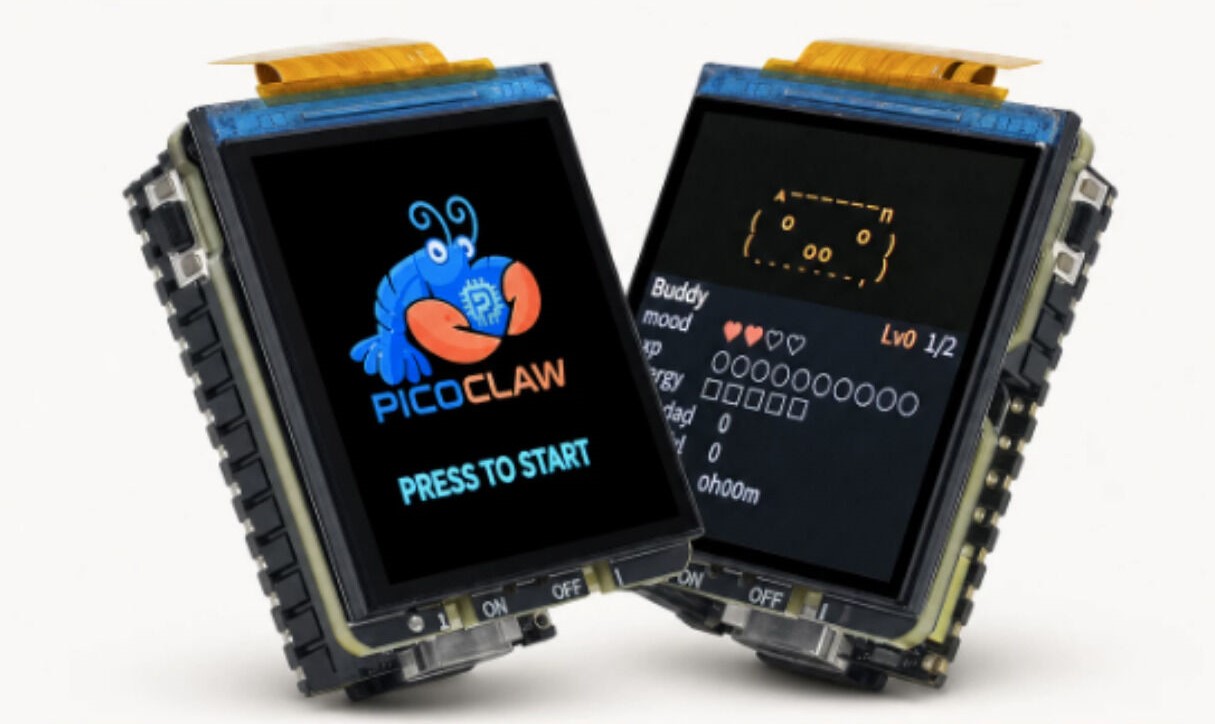
RV Claw is based on the LicheeRV Nano development board, equipped with a function expansion board designed specifically for PicoClaw interactive applications. Targeting voice interaction and local display scenarios, it integrates a display, buttons, indicator LEDs, battery management, and audio peripheral interfaces, making it easy to quickly build a complete human-machine interaction terminal.
Custom Image
Sipeed provides an out-of-the-box custom image for RV Claw.
RV Claw custom image download: Download link
File: picoclaw-rv-nano-YYYYMMDD.img.xz
-
Flashing: You can use balenaEtcher to flash the image directly to an SD card; or decompress the
.xzfile first and use theddcommand to flash it. -
The expansion board function code in the image is based on Python, located at
/opt/app_picoclaw(source code), making it easy to customize and develop further as needed.
For more details about RV Claw, please refer to the Sipeed official documentation.